🎯 Overview
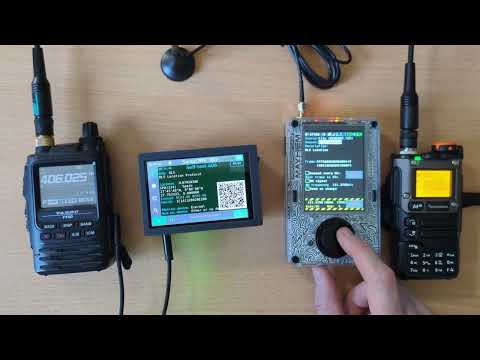
EPIRB TX application simulates an ELT/EPIRB/PLB COSPAS/SARSAT emergency beacon.
📡 Beacons
COSPAS/SARSAT emergency beacons are used in boats (EPIRB), planes (ELT) or by individuals (PLB) to facilitate Search And Rescue (SAR) missions by helping to locate accident sites.
This application is intended for testing COSPAS SARSAT 406 decoding devices used by HAM radio Civil Security SAR teams around the world.
⚠️ Warning ⚠️
This application only transmits "Self-Test" beacon frames.
It MUST NOT be used to send real (non test) beacon data, as it could initiate a Search And Rescue alert.
🎁 Features
The application features two transmission modes:
- A 406 MHz Manchester encoded BPSK signal containing beacon data,
- A 127.5 MHz AM distress audio signal.
Beacon data can be selected from two different sources:
- A set of test beacons stored in the
BEACONS.TXTfile inEPIRBdirectory of the SD card, - A manual beacon editor integrated in the application, allowing selection of beacon type and location.
Beacon frames can be sent periodically (using the Resend checkbox) every 50 seconds (adjustable).
If AM signal checkbox is enabled, the transmission will automatically switch to 121.5 MHz AM emergency signal at the end of the BPSK frame.
If the Send on change checkbox is enabled, a new frame will be sent each time a beacon parameter is modified.
📶 Protocol
Beacon frame data is encoded using Manchester BPSK modulation at 400 bits per second, with a phase of ±63°, in accordance with COSPAS/SARSAT specifications.
📻 Baseband
A dedicated proc_epirb_tx baseband processor is used for:
- BPSK data transmission,
- AM emergency signal generation.
The 121.5 MHz AM emergency signal is an audio signal using a 3Hz frequency sweep from 300 Hz to 1600 Hz reproducing the typical ELT distress sound.
❓ User Guide
📝 Beacon Editor Mode
|
|
Manual (Editor) mode: - Select beacon type ( ELT / EPIRB / PLB)- Select location protocol ( Standard / User / National)- Select beacon country - Enable Internal checkbox to indicate that the beacon uses an internal positioning device- Set beacon location using Maidenhead Locator or the Map View( Set pos. button)
|
🗺️ Map VIew
|
Map View: - In Manual mode, beacon location can be set using the Set pos. button- Map View is then displayed to allow beacon location adjustment - Edit coordinates or move the cursor on the map - Press the OK button to validate coordinates and return to the main screen |
📄 Beacon File Mode
File (BEACONS.TXT) mode:- Select a beacon from the samples stored in EPIRB/BEACONS.TXT file on the SD cardBEACONS.TXT file format:- 3-columns CSV file using ; as separator- Lines starting with # are treaed as commentsColumns: -1. Beacon title (displayed in the UI Options list) -2. Beacon description (displayed in the UI description field) -3. Beacon data, as a 36-character hexadecimal string (2 HEX characters per byte), including FFFED0 synchronization header |
📡 Transmission block
|
|
Transmission controls: - Enable Resend every xx s. checkbox to periodically retransmit the frame- Adjust the resend period using the delay value - Enable AM signal checkbox to transmit the 121 MHz emergency signal between frames- Set the emergency signal frequency using the AM frequency input- Enable Send on change checkbox to automatically retransmit when frame content is modified- Use the Start/Stop button to activate/deactivate the beacon simulation
|
📻 Transmitter View
|
|
This is the generic PortaPack Transmitter view, used to configure: - BPSK transmission frequency - Frequency step - Transmitter bandwidth - Transmitter LNA gain (0 to +47 dB) - Transmitter RF gain (0 or +14 dB) |